

PRODUCT DETAILS
Click an item to expand and learn more
-
-
-
-
What do the colors of the X indicator mean?
- Solid white:
- Powered on, but not ready for laser emission.
- To emit laser beams, the device must meet all of the following requirements:
- Safety interlock loop closed
- Lasering function enabled
- Grip sensing button pressed
- Blinking green slowly
- Ready for laser emission. You can press the trigger on the welding head to emit laser beams.
- Solid green
- Emitting laser.
- Solid red with three consecutive beeps
- Exceptions occur or device malfunctions.
What are the functions of different copper nozzles?
- Welding copper nozzle (the default copper nozzle installed on the welding head)
- Purpose: Primarily used for welding tasks that require filler material, suitable for welding thicker materials or scenarios where enhanced weld seam strength is needed.
- Applicable Scenarios: Thick plate welding, high-strength welding, wide gap welding, repair welding, etc.
- Welding nozzle (for autogenous welding)
- Purpose: Suitable for welding tasks that do not require filler material, typically used for thin sheet welding or precision welding.
- Applicable Scenarios: Thin sheet welding, precision welding, decorative welding, etc.
- Cleaning nozzle
- Purpose: Used for cleaning oxides, impurities, or residues in the welding area to ensure welding quality.
- Applicable Scenarios: Surface treatment before welding, weld seam cleaning, rust removal, etc.
- Cutting tip
- Purpose: Used for cutting metal materials.
- Applicable Scenarios: Metal sheet cutting (only capable of maintaining a cut; the finish of handheld cutting edges is relatively difficult to control).
What does the wire feed enable switch on the welding head do?
The wire feeding enable switch provides temporary control over the welding machine's wire feeding function. This allows users to stop wire feeding during processing without having to adjust the settings on the welding machine's screen, improving user experience.
- When both the screen's "Wire Feed Enable" and the torch's "Wire Feed Enable" are on, the torch will feed wire while emitting light.
- If either "Wire Feed Enable" is off, the torch will not feed wire while emitting light.
Can one person lift xTool MetalFab Laser Welder?
The main unit weighs 38.2 kg, and the wire feeder is 13.2 kg (excluding wire). While one person can lift it, assistance is recommended for ease and safety.
What is the approximate cost of running the laser welder for an hour?
- CNC Cutting with Standard cutting nozzle
- Gas type and setting: Nitrogen: 0.8 MPa pressure; Cost: 40L nitrogen lasts 40 min
- Gas type and setting: Nitrogen: 1.2 MPa pressure; Cost: 40L nitrogen lasts 30 min
- Gas type and setting: Compressed air (produced by xTool Air Compressor and xTool Air Dryer) ; Cost: 2.5 kWh per hour (Electricity costs)
- Welding with Standard welding nozzle
- Gas type and setting: Nitrogen: 15L/min gas flow rate; Cost: 40L nitrogen lasts 20 hours
Can I use a different power cable?
No. For optimal performance and safety, only use the power cable provided with the equipment.
Do I always need a wire feeder for welding?
Wire feeder and filler wire are not always needed. For thin materials (under 1 mm) or when welding small gaps, the base metal can be melted directly, using autogenous welding.
How do I choose the right wire for different materials?
- Stainless Steel
- Grade: 304 Stainless Steel; Recommended Wire: 308L; Shielding Gas: Nitrogen / Argon
- Grade: 316 Stainless Steel; Recommended Wire: 316L; Shielding Gas: Nitrogen / Argon
- Grade: 430 Stainless Steel; Recommended Wire: 309L; Shielding Gas: Nitrogen / Argon
- Carbon Steel
- Grade: Q235, 20#; Recommended Wire: ER70S-6; Shielding Gas: Nitrogen / Argon
- Grade: 45#; Recommended Wire: ER50-6; Shielding Gas: Nitrogen / Argon
- Galvanized Steel Plate
- Grade: DX51D, DX52D; Recommended Wire: ER70S-G / ER70S-6; Shielding Gas: Nitrogen / Argon
- Aluminum
- Grade: 1060; Recommended Wire: 6061; Shielding Gas: Nitrogen / Argon
- Brass
- Grade: H62; Recommended Wire: S221; Shielding Gas: Nitrogen / Argon
Is the wire feeder compatible with different wire diameters (0.8mm, 1.0mm)?
Yes. Please select the appropriate wire feed rollers based on the diameter of the wire being used, ensuring both rollers are the same size. The wire feed rollers support wire diameters of 0.8mm, 1.0mm, 1.2mm, and 1.6mm. Important: The roller tensioners must be adjusted to the correct position for each wire diameter.
How do I retract the wire properly?
Make sure you follow these steps when you're retracting the wire:
- Open the side door of the wire feeder.
- While pressing the retraction button, rotate the wire spool (If the wire spool is not tightened, the wires will loosen).
- When the wire is about to come out of the wire-feeding rollers, be sure to pinch the wire by hand to prevent the wires from scattering because there will be no force from the feeding rollers once the wire is out.
What is the cleaning capability of xTool MetalFab MaxClean Accessory?
- Supported material
- Rusted metal
- Painted metal
- Processing speed
- Handheld operation. Speed is affected by the user's movement speed. Recommended speed: 20 mm/s.
- Cleaning capability
- Rust removal: Removes surface rust from metal. The number of passes is not limited.
- Paint removal: The maximum paint removal thickness is 40 µm. The number of passes is not limited.
- Processing angle (Angle relative to the contact surface)
- 20° to 70°
- Scanning width
- ≥ 45 mm (Measured at a 45° contact angle to the surface)
What is the recommended gas supply for xTool MetalFab MaxClean Accessory?
- Gas type: Compressed air or Nitrogen (Argon is not recommended due to high cost)
- Recommended pressure: 0.3 MPa to 0.6 MPa
- Accessory preparation: If using a gas cylinder, please equip it with a pressure regulator and other necessary components to ensure the shielding gas meets the above requirements.
What are the application scenarios for xTool MetalFab MaxClean Accessory?
xTool MetalFab MaxClean Accessory is suitable for different scenarios, but its performance varies. The recommendations and cautions are summarized below:
- Recommended scenario: Flat objects placed on a horizontal surface
- Acceptable with caution: Vertical surfaces with substantial height
- Not recommended: Irregularly shaped objects; Vertical surfaces with very low height
How to distinguish whether the lens inside the welding head is a cleaning lens or a lens protector for welding?
Please follow the steps below to identify and take the correct action:
- Post-Cleaning Action: After using and dismantling the MaxClean Accessory, promptly replace the cleaning lens with a lens protector.
- Pre-Welding/Cutting Check: Before starting any welding or cutting operation, check the red spot emitted from the welding head: if it appears large and blurry, a cleaning lens may have been mistakenly installed. Replace it with a lens protector.
Do I need a license or certification to operate MetalFab Laser Welder?
No additional certification is required. However, we strongly recommend users complete our basic safety training about laser welding operations to ensure using the machine safely.
Is prior welding experience required?
No. The machine is beginner-friendly and easy to operate.
Can xTool MetalFab Laser Welder be used in wet environments or underwater?
Yes, but immerse only the copper nozzle of the welding head can be submerged. Keep the rest of the welding head dry, as it is not waterproof.
Can xTool MetalFab Laser Welder be used for marking or engraving?
Yes, it can. But it is not recommended to mark or engrave on highly reflective materials. Metal materials are often highly reflective, especially brass and aluminium. They can reflect laser beams and cause permanent damage to the machine. You are recommended to mark or engrave on materials like stainless steel, carbon steel, and galvanized sheet, which do not reflect too much light.
Can xTool MetalFab Laser Welder detect defects like cracks in real time during welding?
No, real-time defect detection is not supported.
What shielding gas should I use, and what’s the recommended flow rate?
- Supported gas type:
- Nitrogen (gas purity ≥ 99.99%)
- Argon (gas purity ≥ 99.99%)
- Compressed air
- Processing mode: Laser Welding
- Gas setting: Flow rate: 15 L/min – 30 L/min
- Pressure: 0.1 MPa – 0.2 MPa
- Processing mode: Laser Cleaning
- Gas setting: Flow rate: 15 L/min – 30 L/min
- Pressure: 0.1 MPa – 0.2 MPa
- Processing mode: Laser Cutting
- Gas setting: Gas pressure: 600 kPa – 800 kPa
- When the gas supply pathway remains unchanged, the pressure and flow rate maintain a fixed correlation.
- For welding and cleaning, a flow regulator valve is typically required. Set the flow rate to 15 L/min – 30 L/min. If the welding results are unsatisfactory, gradually increase the flow rate and reassess.
- For cutting, a pressure regulator valve is generally required. Adjust the pressure to 600 kPa – 800 kPa.
- Compressed air can be used for both handheld cleaning and cutting. However, the cleaning effect is not as good as nitrogen or argon, the latter cleaning will be more cllean and bright.
How do I set the Scan width for the welding head?
Set the Scan width based on material characteristics and joint requirements:
- Material Properties
- High thermal conductivity (Aluminum, Copper): Use wider oscillation (typically 1.0-2.0mm) to distribute heat and prevent localized overheating
- Low thermal conductivity (Stainless Steel): Narrower oscillation (0.3-0.8mm recommended) concentrates energy for proper penetration
- Joint Gap Requirements
- Narrow joints (<0.5mm gap): Small scan width (0.5-1.0mm) maintains focused energy density
- Wide joints (>1.0mm gap): Wider oscillation (1.5-3.0mm) ensures full coverage and uniform fusion
What should I do if filler wire sticks during welding?
To resolve filler wire adhesion, you can:
- Increase the laser shutdown delay time
- Or decrease the Re-feeding delay.
Why does black smoke appear during welding?
Black smoke during welding can result from several factors:
- Material Properties: Some materials—especially aluminum alloys—are more prone to generating smoke due to their sensitivity and composition.
- Surface Contamination: Oil films, grease, or oxide layers on the material's surface can increase smoke production during welding.
- Welding Wire: Standard welding wires not designed for laser welding may produce more fumes. Low-fume wires are recommended for cleaner welds.
- Welding Technique: Incorrect torch angles, inadequate shielding gas flow rates, or improper power settings can lead to incomplete gas coverage, leading to more smoke.
- Damaged Lens: A damaged lens can scatter the laser beam or arc energy, increasing smoke and reducing overall weld quality.
Can I manually fine-tune welding parameters?
Yes, xTool MetalFab Laser Welder 1200W allows users to manually fine-tune welding parameters. For more control, switch to Advanced Mode and enable the Professional option to customize settings according to your specific requirements.
Will continuous use cause laser power to drop due to overheating?
No, xTool MetalFab Laser Welder 1200W is designed to maintain stable power output for extended periods under normal operating conditions. Power degradation will not occur during processing.
Does Metalfab Laser Welder support remote diagnostics and fault alerts?
No, these features are not supported.
Can I import design files like SVG or DXF?
No. This is a handheld tool with its own operating system and does not support external file imports.
Can Metalfab Laser Welder export logs or processing data?
No, the machine does not support data export.
What materials can the welder process? What is the thickness?
- Stainless steel: 5 mm thickness
- Carbon steel: 5 mm thickness
- Galvanized steel: 5 mm thickness
- Aluminum: 4 mm tcickness
- Brass: 3 mm thickness
Is laser welding as strong as traditional arc welding (TIG/MIG)?
Laser welding typically matches or exceeds the strength of traditional TIG or MIG methods. It creates a smaller heat-affected zone, produces deeper and narrower welds, and forms finer-structured seams. These characteristics result in superior performance and structural integrity compared to conventional welding techniques.
How can I find the best settings for welding materials of different thicknesses?
xTool MetalFab Laser Welder 1200w defaults to Standard mode upon startup. In this mode, users can simply select material type, thickness, and wire diameter to begin welding--ideal for quick setup. For more experienced users seeking greater control, switching to Advanced mode unlocks additional parameter settings, allowing fine-tuning based on specific welding needs.
Can laser welding achieve the same penetration depth as traditional methods when welding 5 mm stainless steel?
With appropriate process parameters, xTool MetalFab Laser Welder 1200W can typically achieve a penetration depth of 5mm or even deeper. The specific penetration depth depends on factors such as the set laser power, welding speed, and focal position.
How can I prevent porosity when laser welding aluminum alloys?
To avoid porosity, you should pay attention to these things:
- Material Preparation: Thoroughly clean the aluminum surface to remove oxide layers and contaminants. Ensure the material is completely dry before welding.
- Parameter Settings: Increase wire feed speed as needed to optimize the welding process and prevent gas entrapment.
- Gas Selection: Use argon as the preferred shielding gas for welding aluminum. While nitrogen can be used under normal conditions, argon is more effective in reducing porosity in this application.
Can xTool MetalFab Laser Welder weld or cut titanium and magnesium alloys?
Yes, and you will need argon gas when processing titanium.
How do I prevent zinc layer evaporation and contamination when welding galvanized steel?
To minimize zinc vaporization and contamination during welding, implement these measures:
- Laser power and welding parameters control
- Reduce laser power: Use appropriately lowered power settings
- Optimize welding speed: Maintain proper speed to avoid heat concentration
- Shielding Gas Protection
- Use Argon/Nitrogen: These inert gases prevent oxidation and reduce zinc fumes
- Adjust gas flow: Ensure sufficient, stable coverage of the weld zone
- Zinc Layer Pre-treatment
- Local zinc removal: Mechanically grind or chemically strip zinc from weld areas
- Laser ablation: Pre-clean with low-power laser to remove zinc coating
- Ventilation & Safety
- Install fume extraction: Effectively remove hazardous zinc oxide particles
- Wear proper PPE:
- Respiratory protection (NIOSH-approved masks)
- Laser safety goggles
Can I upgrade the laser power or firmware? What are the costs?
MetalFab Laser Welder's laser power cannot be increased, but you can freely update the firmware using xTool Creative Space (XCS).
Can I use Metalfab Laser Welder on the same circuit as other welding machines?
To ensure safety and prevent electrical overload, we recommend operating this laser welder on a separate circuit from other welding equipment.
Does MetalFab Laser Welder support multi-axis synchronization, such as with robots?
Currently, MetalFab Laser Welder 1200W only supports MetalFab CNC Cutter, and is not compatible with third-party multi-axis systems.
Will future versions support multiple laser heads working together?
No, there are currently no plans to support this feature.
Is MetalFab Laser Welder safe to use?
MetalFab Laser Welder includes multiple safety features such as a safety circuit loop, USB key lock, emergency stop button, and the Grip sensing button on the welding head to ensure safe and controlled operation.
Is MetalFab Laser Welder environmentally compliant?
Yes. It meets all required certifications and offers greater environmental benefits than traditional welding due to its cleaner laser process.
Does MetalFab Laser Welder exceed typical industrial noise levels?
When operating at full power, MetalFab Laser Welder generates noise levels above 90 dB, which exceeds standard industrial thresholds. Prolonged exposure at this level may affect hearing, so we strongly recommend wearing hearing protection during operation.
Is the emergency stop mechanism reliable?
xTool MetalFab Laser Welder 1200W features a certified emergency stop button. Once pressed, it immediately cuts off power to the laser for enhanced operational safety.
- Solid white:
-
 Download Manual Instructions PDF
 Lesson 1: How to Unbox and Test the MetalFab?
 Lesson 2: How to Cut and Weld a Practical Product?
 Lesson 3: How to Produce High-Quality Weld Beads?
 Lesson 4: How to Cut Carbon Steel and Galvanized Sheet?
 Lesson 5: How to Cut Thick Metal when the Cutting Tip Knob Range Is Exceeded?
 Lesson 6: How to Cut Long Materials Using Passthrough?
 Lesson 7: How to Extend the Lifespan of MetalFab?
 Lesson 8: How to Solve the Problem of Dross on the Cutting Surface?
 Lesson 9: How to Solve the Problem of CNC Cutting Not Going Through?
 Lesson 10: How to Fix Incomplete Handheld Cutting?
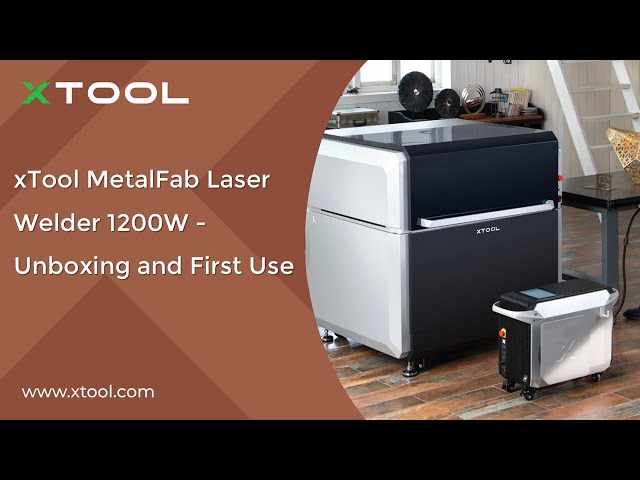 xTool MetalFab Laser Welder 1200W - Unboxing and First Use
 xTool MetalFab Laser Welder - Safety Training on Laser Welding
 xTool MetalFab Laser Welder - Replace the wire feeding nozzle
 xTool MetalFab Laser Welder - Replace the welding wire
 xTool MetalFab Laser Welder – How to change different nozzle
 xTool MetalFab Laser Welder - Calibrate the red spot position for the welding head
 xTool MetalFab Laser Welder - Calibrate the Welding Gun Focus
 xTool MetalFab Laser Welder - Clean or replace the lens protector
 Replace the Display Screen for the xTool MetalFab Laser Welder
 Replace the Display Screen for xTool MetalFab Laser Welder