Power Drill Buying Guide: How to Choose the Right Drill for the Job
Table of Contents
- What Is a Power Drill?
- Drill vs. Impact Driver vs. Rotary Hammer vs. Drill Press
- Factors to Consider When Choosing a Power Drill
- Understanding Your Drill's Controls
- Choose the Right Drill for the Work You Do
- Choosing the Right Drill Bit
- Match Drill Speed to the Bit and Material
- How to Use a Power Drill Safely and Effectively
- Getting Better Results From Your Power Drill
- FAQs
A good power drill is one of the most versatile tools in the shop. Whether you're drilling clean holes in hardwood, working with metal, assembling cabinetry, installing hardware, or driving fasteners, choosing the right drill—and matching it with the right bit and settings—can make the work faster, cleaner, and more accurate.
But not every drilling or fastening job calls for the same tool. A standard drill/driver, impact driver, rotary hammer, and drill press all work differently and excel in different applications.
This guide explains how to choose a power drill, what the most important drill specifications actually mean, and how to use your drill safely and effectively.
What Is a Power Drill?
A power drill is a handheld tool that rotates a drill bit to create holes in materials such as wood, metal, plastic, and composites. Most modern drill/drivers can also hold screwdriver bits, allowing the same tool to drill holes and drive fasteners.
The drill itself is only part of the equation. Hole quality and drilling performance also depend on choosing the correct bit, speed, feed pressure, and technique for the material you're working with.
A typical drill/driver may include variable speed, multiple gear ranges, a keyless chuck, adjustable clutch settings, and forward/reverse operation. Understanding what those controls do makes it much easier to get the performance you want from the tool.
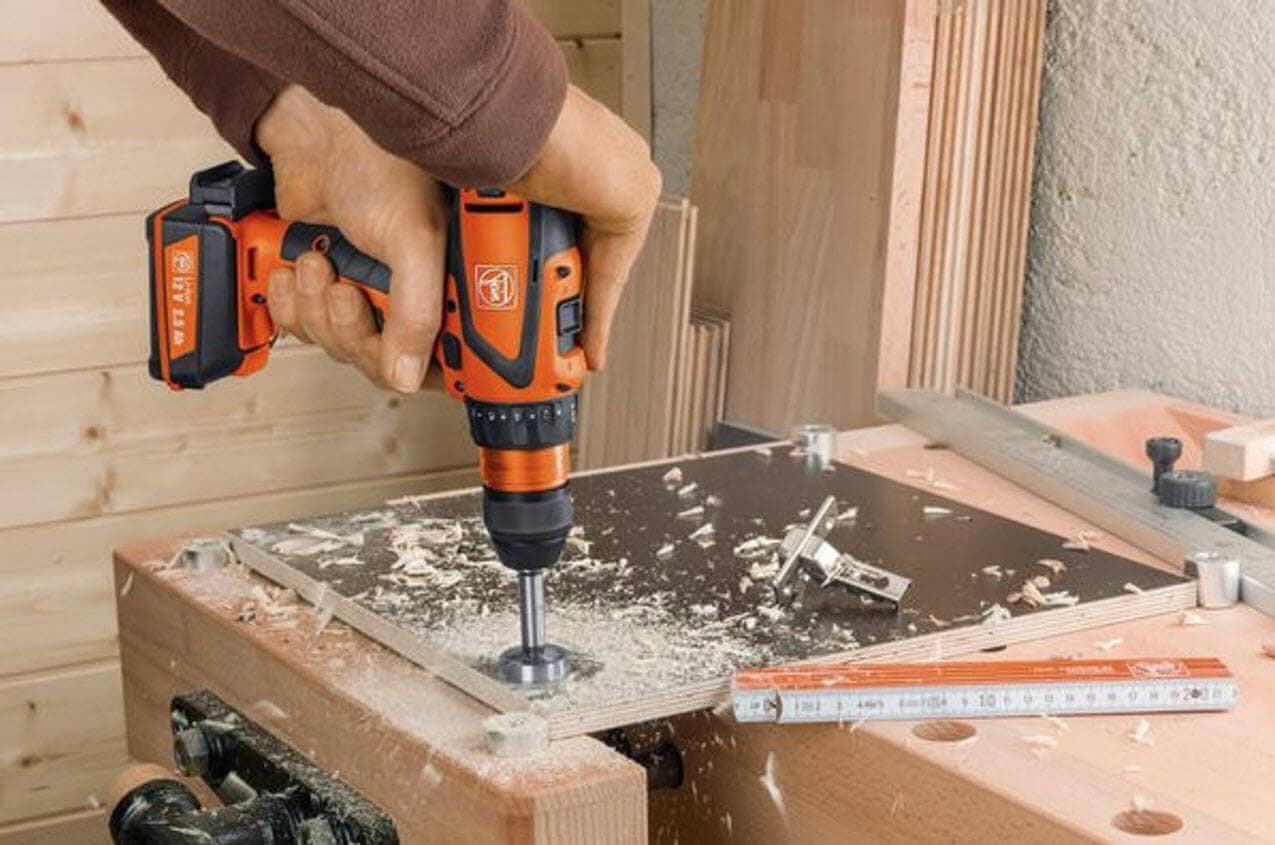
Drill vs. Impact Driver vs. Rotary Hammer vs. Drill Press
These tools are sometimes grouped together because they all rotate a bit or accessory, but they are designed for very different jobs.
Power Drill / Drill-Driver
For general-purpose drilling, a standard drill or drill/driver is usually the most versatile choice. It can drill holes in wood, metal, plastic, and many other materials while also driving screws and other fasteners.
A drill uses a chuck that can accept a wide variety of bit shank sizes and styles. Variable speed and clutch settings also provide more control than an impact driver when working with smaller fasteners or materials that can be damaged by excessive torque.
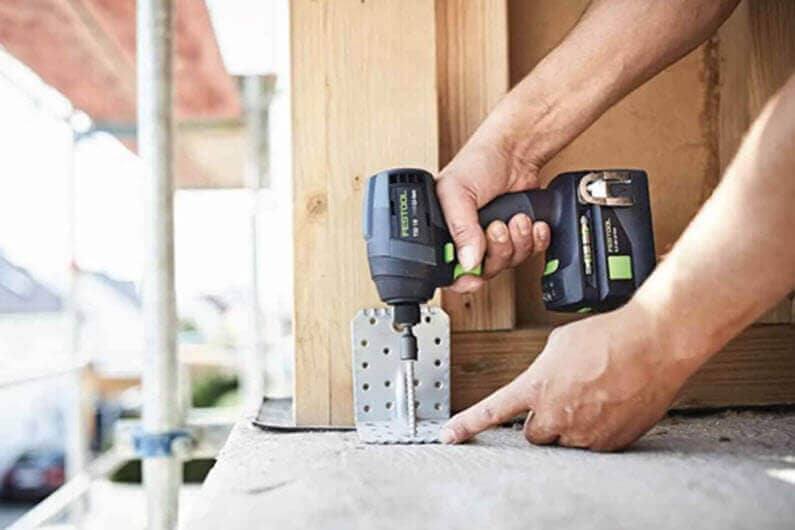
Impact Driver
An impact driver is primarily a fastening tool. Instead of relying only on continuous rotational force, it adds rapid rotational impacts when resistance increases. That makes it especially effective for driving long screws, lag fasteners, and other demanding fasteners.
Most impact drivers use a 1/4-inch hex quick-release collet rather than the conventional chuck found on a drill. Impact-rated hex-shank drill bits can be used for some drilling tasks, but when clean, controlled, or highly accurate holes are the priority, a drill is generally the better choice.
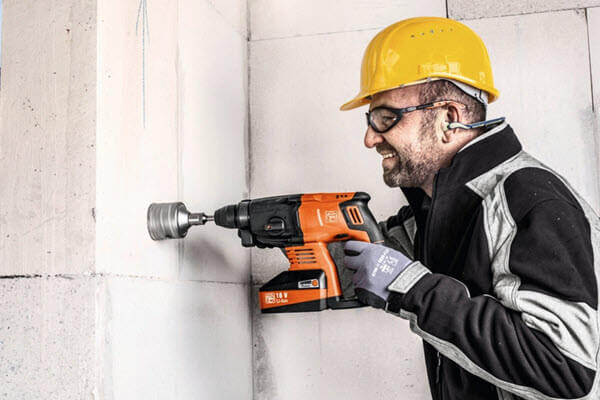
Rotary Hammer
A rotary hammer combines rotation with a powerful hammering action designed for drilling concrete, brick, stone, and other masonry materials.
Rotary hammers commonly use SDS-style bits and produce much greater impact energy than an ordinary drill. Many models can also be used for light chiseling or material removal.
If you're primarily drilling wood or metal, a standard drill is usually more appropriate. For repeated or larger-diameter holes in concrete and masonry, a rotary hammer is the purpose-built tool.
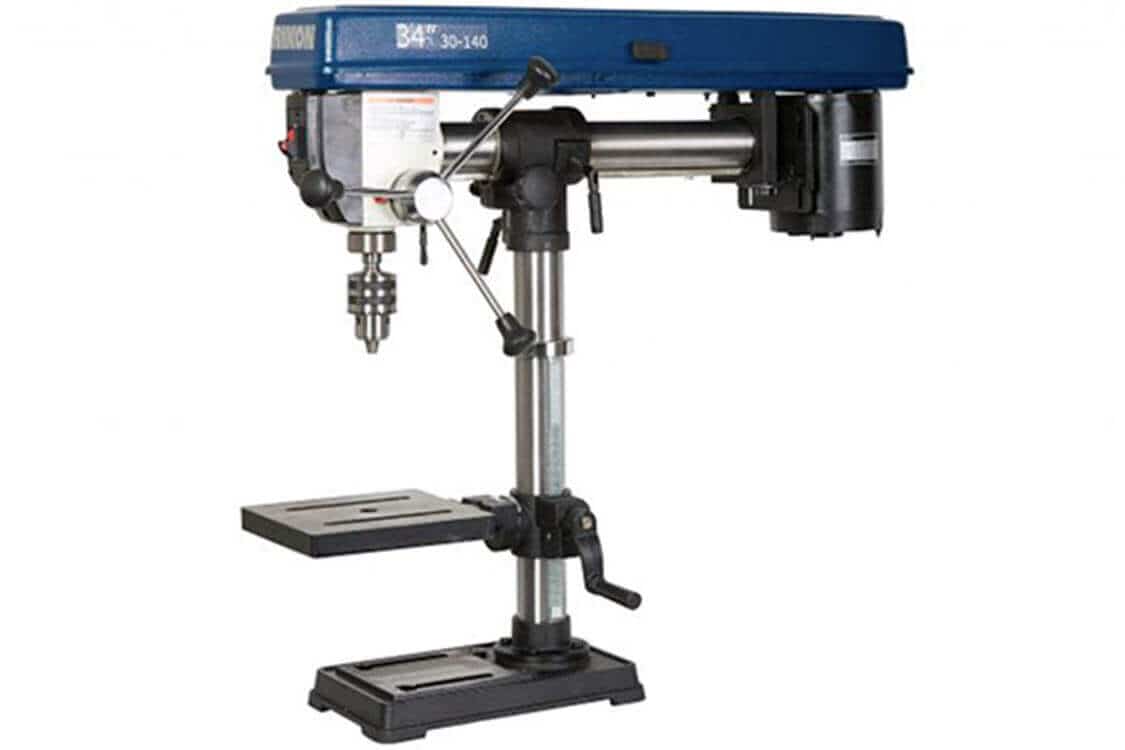
Drill Press
A drill press is a stationary machine designed for accuracy, stability, and repeatability rather than portability.
Because the workpiece can be secured to a table and the spindle travels in a controlled vertical path, a drill press makes it easier to drill straight holes, maintain consistent depth, and repeat the same operation across multiple workpieces.
Drill presses are especially useful in woodworking and metalworking shops where accuracy and repeatability matter more than the ability to bring the tool to the work.
| Tool | Best For | Tool Holder | Key Advantage |
|---|---|---|---|
| Drill / Drill-Driver | General drilling and controlled fastening | Keyed or keyless chuck | Versatility and control |
| Impact Driver | Driving screws, bolts, and demanding fasteners | Typically 1/4" hex collet | High fastening torque in a compact tool |
| Rotary Hammer | Concrete, brick, stone, and masonry | Typically SDS-style | Powerful hammering action |
| Drill Press | Accurate and repeatable drilling | Drill chuck | Precision and depth control |
Factors to Consider When Choosing a Power Drill
The best drill isn't necessarily the one with the largest motor or highest voltage. Think about the materials you work with, the size of the bits you typically use, how much fastening you do, and how long you'll be holding the tool.
Power Source
Cordless drills dominate many workshops and jobsites because they provide excellent mobility and today's battery systems can deliver substantial power. They're particularly convenient when working away from an outlet, moving between work areas, or drilling in awkward locations.
When comparing cordless drills, don't judge runtime by voltage alone. Voltage is more closely associated with the tool's power class, while battery capacity—usually expressed in amp-hours (Ah)—also plays an important role in how long the tool can operate. Actual runtime depends on the drill, battery, material, bit size, and workload.
Whichever system you choose, consider the entire battery platform as well as the drill itself. If you already use other cordless tools from the same system, battery compatibility can be a significant advantage.
Chuck Size
The chuck holds the drill bit, and its capacity determines the range of shank sizes the drill can accept.
A larger-capacity chuck gives you access to a wider range of bits and accessories, which can be useful when drilling larger holes or handling demanding work. For lighter assembly or drilling in tight spaces, a smaller and more compact drill may be preferable.
Always check both the drill's chuck capacity and the shank size of the bit you intend to use. The cutting diameter of a drill bit can be much larger than its shank diameter.
Speed and Torque
Speed and torque perform different jobs.
Speed refers to how quickly the bit rotates, usually measured in revolutions per minute (RPM). Different bit diameters and materials require different speeds. As a general rule, larger-diameter bits require lower RPM, and drilling metal typically calls for lower speeds than many woodworking operations.
Torque is rotational force. Higher torque helps a drill maintain rotation under heavier loads, such as driving large fasteners or turning larger bits through dense material.
Many drills also include two or more mechanical gear ranges. A low gear provides lower speed and greater torque, while a high gear provides greater speed for lighter-duty drilling and fastening.
Clutch Settings
The numbered clutch settings on a drill/driver are primarily for driving fasteners, not controlling drilling depth or drill speed.
The clutch limits how much torque is transferred to the fastener before the drill begins to slip. This can help prevent overdriving screws, stripping screw heads, or damaging the workpiece.
For drilling holes, the drill is normally placed in drilling mode, which bypasses the clutch so the tool can deliver continuous torque.
Ergonomics and Comfort
A drill that looks powerful on a specification sheet isn't much help if it's awkward to use for an entire work session.
Consider the weight of the drill with the battery installed, handle shape, balance, vibration, and overall size. Compact drills are especially useful inside cabinets, between framing members, or anywhere clearance is limited. Larger drills may offer more power but can also become tiring during overhead or repetitive work.
If possible, choose the smallest drill that comfortably provides the capacity and performance your typical work requires.
Additional Features
Depending on the model, useful features may include LED work lights, electronic motor protection, brushless motors, belt clips, auxiliary handles, battery-level indicators, and quick-change or keyless chucks.
These features can improve convenience, but they shouldn't outweigh the fundamentals: appropriate power, speed range, chuck capacity, balance, and compatibility with the bits and applications you use most often.
Understanding Your Drill's Controls
A modern drill/driver may have several different controls, and confusing them can lead to poor results. Here's what the main controls typically do:
- Variable-speed trigger: Controls rotational speed within the selected gear range.
- Gear selector: Changes the mechanical speed/torque range. Lower gear generally provides more torque; higher gear provides more speed.
- Clutch: Limits fastening torque to help prevent overdriving screws.
- Drill mode: Bypasses the clutch for normal drilling operations.
- Forward/reverse selector: Changes the direction of rotation for drilling, driving, or removing fasteners.
The exact controls vary by drill, so always consult the manufacturer's instructions for your particular model.
Choose the Right Drill for the Work You Do
Instead of simply looking for the most powerful drill you can afford, start with the jobs you perform most often.
| Typical Work | What to Prioritize |
|---|---|
| Furniture and cabinet assembly | Compact size, good balance, clutch control |
| General woodworking | Variable speed, versatile chuck capacity, comfortable handling |
| Metal drilling | Good low-speed control, torque, appropriate bit capacity |
| Large holes and demanding drilling | Higher torque, low-speed capability, sufficient chuck capacity |
| Repetitive heavy fastening | Consider an impact driver in addition to a drill |
| Concrete and masonry | Consider a rotary hammer for demanding work |
| Highly accurate or repetitive holes | Consider a drill press |
Choosing the Right Drill Bit
Even the best drill will perform poorly with the wrong bit. Choose a bit designed for both the material and the type of hole you're making.
ToolsToday carries a wide selection of boring and drilling bits for different applications. Common choices include:
- Twist drills: General-purpose drilling, particularly common for metal and many other materials.
- Brad-point and other woodworking drills: Designed for accurate positioning and clean holes in wood.
- Spade bits: Fast drilling of larger holes in wood where production speed may matter more than a finely finished hole.
- Forstner bits: Clean, flat-bottomed or overlapping holes in wood.
- Hole saws: Large-diameter holes without removing all the material inside the circle.
- Masonry bits: Designed for brick, concrete, block, stone, and other masonry materials when used with an appropriate drill or rotary hammer.
Bit geometry, diameter, material, coating, and condition can all affect drilling performance. A sharp, application-appropriate bit generally requires less force, produces a cleaner hole, and puts less load on the drill.
Match Drill Speed to the Bit and Material
There is no single correct RPM for every drilling job.
One of the most important rules is that as drill-bit diameter increases, the appropriate spindle speed generally decreases. A small twist drill can typically run much faster than a large Forstner bit or hole saw.
The workpiece material matters as well. Metal commonly requires lower cutting speeds than wood, while plastics may require enough speed to cut cleanly without generating excessive heat.
Don't assume that maximum drill speed produces the fastest or cleanest hole. Excessive RPM can generate heat, dull the cutting edge, damage the workpiece, or reduce bit life.
Whenever available, follow the drill-bit manufacturer's speed recommendations for the specific bit diameter and material.
How to Use a Power Drill Safely and Effectively
Good drilling technique improves both safety and hole quality. Before starting, make sure the drill, bit, workpiece, and settings are appropriate for the operation.
Wear Appropriate Protective Equipment
Eye protection should be worn when drilling because chips, dust, and broken material can be thrown from the workpiece. Hearing protection may also be appropriate depending on the tool, material, and duration of the work.
Avoid loose clothing, jewelry, unsecured long hair, or anything else that could become caught in rotating equipment. Gloves can create an entanglement hazard around rotating tools, so follow the tool manufacturer's safety guidance for the operation you're performing.
Read the Drill's Instructions
Before using an unfamiliar drill, review the manufacturer's instructions. Controls, operating modes, accessory requirements, torque settings, and safety systems vary between models.
Pay particular attention to recommended bit sizes and operating modes. Large bits and demanding drilling operations can produce substantial reaction torque if the bit binds.
Inspect and Install the Bit Correctly
Check the bit for damage, excessive wear, or a dull cutting edge before use. Insert the bit far enough into the chuck for secure clamping, then tighten the chuck according to the drill manufacturer's instructions.
If the drill uses a keyed chuck, remove the chuck key before starting the tool.
Secure the Workpiece
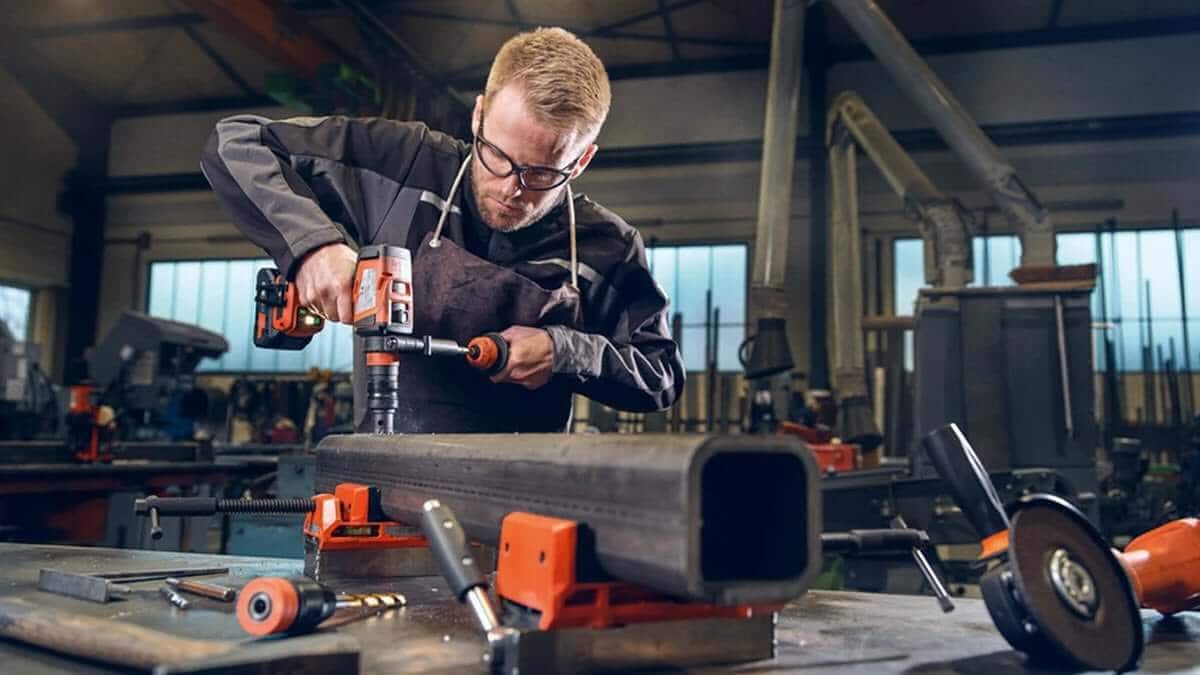
Whenever practical, clamp the workpiece rather than holding it by hand. A drill bit can catch or bind unexpectedly, particularly when breaking through the back of the material or drilling larger holes.
Securing the workpiece also makes it easier to position the drill accurately and maintain the desired drilling angle.
Start Slow and Establish the Hole
Starting at a lower speed can make it easier to position the bit accurately before increasing to the appropriate drilling speed.
Apply steady pressure and let the cutting edges do the work. Excessive force can overheat the bit, overload the drill, or increase the likelihood of binding.
For deep holes, periodically withdrawing the bit may help clear chips and reduce heat, depending on the bit and material.
Keep the Drill Aligned
Unless the job calls for an angled hole, keep the drill aligned with the intended hole axis. Applying sideways pressure can produce an oversized or crooked hole and can place unnecessary stress on the bit.
For operations where perpendicularity and repeatability are critical, a drilling guide or drill press may provide better results than drilling freehand.
Watch for Breakthrough
The final stage of drilling often requires extra control. As a drill bit begins to exit the opposite side of the workpiece, resistance can change suddenly and the bit may grab.
Reduce pressure as you approach breakthrough. In woodworking, using a sacrificial backing board can also help support the fibers and reduce tear-out around the exit hole.
Keep the Work Area Clear
Keep cords, batteries, loose tools, chips, and other obstacles away from the immediate drilling area. Good lighting and an uncluttered workspace make it easier to maintain control and see exactly where the bit is cutting.
Getting Better Results From Your Power Drill
Choosing the right drill matters, but technique and tooling matter just as much. A well-matched drill, sharp bit, correct RPM, secure workpiece, and controlled feed pressure will usually produce better results than simply applying more power.
For general drilling and fastening, a quality drill/driver remains one of the most useful tools you can own. For more specialized work, adding an impact driver, rotary hammer, or drill press gives you a tool designed specifically for the demands of that operation.
Explore power drills at ToolsToday, or browse our drill bits and boring tools to match your drill with the right cutting tool for the job.
```
FAQs
What type of power drill is best for general use?
A cordless drill/driver is the most versatile choice for most general drilling and fastening tasks. Look for variable speed, multiple gear ranges, an adjustable clutch, and a chuck capacity that accommodates the bits you use most often.
What is the difference between a drill and an impact driver?
A drill uses continuous rotational force and a chuck that accepts many types of drill and driver bits. An impact driver adds rapid rotational impacts when resistance increases and typically uses a 1/4-inch hex collet. Drills are generally better for controlled drilling, while impact drivers excel at driving demanding fasteners.
Is a higher-voltage drill always better?
No. Higher voltage generally indicates a more powerful tool class, but it can also mean additional size and weight. Choose a drill based on the torque, speed range, capacity, runtime, and ergonomics your work requires rather than voltage alone.
What size chuck should I choose for a power drill?
Choose a chuck large enough to accommodate the shanks of the bits you expect to use. A larger-capacity chuck provides more versatility for demanding drilling, while smaller drills can be lighter and easier to use in tight spaces. Remember that a bit's cutting diameter can be much larger than its shank.
Should you drill at high or low speed?
It depends on the bit diameter and material. As bit diameter increases, drilling speed generally should decrease. Metal also typically requires lower cutting speeds than wood. Follow the bit manufacturer's RPM recommendations whenever they are available.
What do the numbered settings on a drill mean?
The numbered settings control the drill's clutch when driving fasteners. Lower settings limit torque sooner, while higher settings allow more torque before the clutch slips. When drilling holes, you normally select drill mode, which bypasses the clutch.