Router Bit Slipping, Wobbling, or Stuck? Check the Collet First
Table of Contents
A router bit that moves in the collet, appears to wobble, or refuses to come out needs attention before the next cut. The cause might be as simple as dust on the shank—or it might be a damaged collet, bit, or router.
First, switch off the router, disconnect it from power, and wait for the bit to stop completely. If the bit has slipped or visibly wobbles, do not make another test cut until you have found the cause.
Start With the Symptom
| What you notice | What to check first |
|---|---|
| The bit changes position in the collet | Shank size, insertion depth, dirt, tightening, and collet condition |
| The bit appears to wobble when rotated by hand | Bit seating, debris, and damage to the bit or collet |
| The cut chatters, but the bit appears steady | Bit condition, workholding, depth of cut, feed, and speed |
| The bit will not come out | The router’s release mechanism, followed by dirt or damage |
The collet is a good place to begin, but chatter and vibration can have other causes. Work through the checks below before deciding which part needs replacing.

Check the Fit Before You Tighten the Bit
A collet grips the smooth shank of the bit. For a secure fit, the shank and collet must be the same nominal size. A 6 mm shank, for example, is smaller than a 1/4-inch shank and should not be treated as interchangeable with it. Check the markings or specifications for both parts rather than relying on appearance.
Insert enough of the smooth shank for the collet to grip it securely, following the bit and router manufacturers’ instructions. If the bit has an insertion mark, use it. Amana Tool bits with a “K” mark use that mark as a guide to proper mounting depth.
Do not clamp on the cutting flutes, leave only the end of the shank in the collet, or force the shank against the bottom of the spindle bore. With an unmarked bit, seat it deeply while leaving clearance at the bottom, as directed by the router manufacturer. Then tighten the collet using the specified procedure.
Why Is My Router Bit Slipping in the Collet?
If the bit creeps outward or changes position during a cut, stop using it and check these possibilities in order:
- Wrong shank or collet size. Verify the actual sizes. A near match can still leave the collet unable to grip the bit properly.
- Dust or resin on the contact surfaces. Remove the bit and inspect its shank, the inside of the collet, and the surfaces where the collet seats. Clean them according to the router or spindle manufacturer’s instructions.
- Incorrect insertion depth. Make sure the collet grips enough smooth shank without the bit bottoming out.
- Incorrect tightening. Use the supplied wrench or the method specified for your machine. If your CNC spindle specifies a torque for its collet assembly, follow that specification.
- Damaged or worn parts. Look for scoring, corrosion, cracks, distorted slots, or other visible damage to the collet and nut.
After cleaning and reinstalling the correct bit, a collet that still fails to hold it securely should be replaced with one specified for that router or spindle. If the problem continues with a compatible, sound collet and bit, the machine may need inspection.
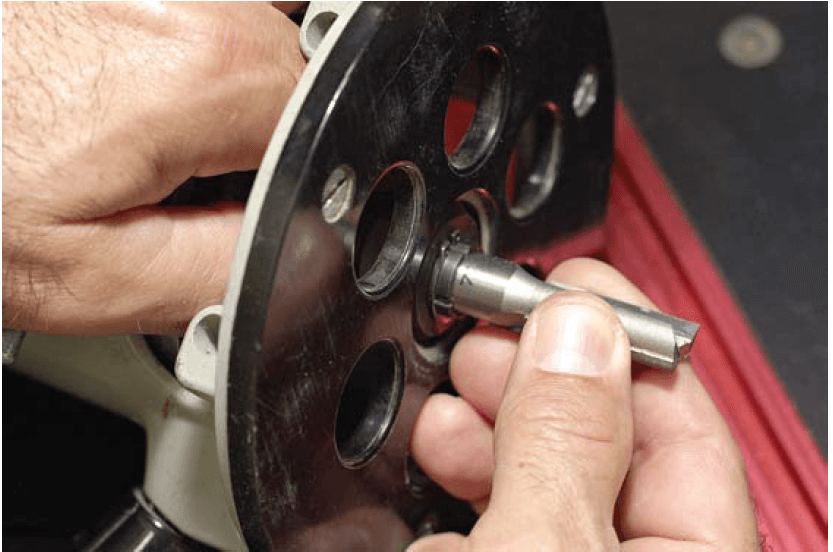 Never bottom out a bit in the collet. Insert it fully, then back it out about 1/8", or up to the stop line if marked. This prevents heat buildup at the bit base and allows for proper tightening.
Why Does My Router Bit Wobble?
First, distinguish visible wobble from chatter during a cut. Chatter marks can come from the bit, material, workholding, or cutting settings even when the bit is mounted correctly.
With power disconnected, remove and inspect the bit. Check for a bent or damaged shank, then clean and inspect the collet and its seating surfaces. Reinstall a known-good bit of the correct shank size. If the bit still appears to run unevenly, stop using the router until you have identified the problem.
For CNC Users: Checking Runout
Runout describes how far a rotating tool deviates from its intended centerline. CNC users can measure total indicated runout (TIR) with a dial indicator, following the indicator and spindle manufacturers’ procedures. Measuring a clean, mounted shank close to the collet and then farther from it can help narrow down a problem. Comparing more than one known-good bit or collet can also help identify which component the problem follows.
Do not assume a new collet will solve every runout problem. The bit, collet, nut, spindle seating surfaces, and spindle itself can all contribute. If the source is unclear, have the spindle inspected before continuing to cut.
Why Is My Router Bit Stuck in the Collet?
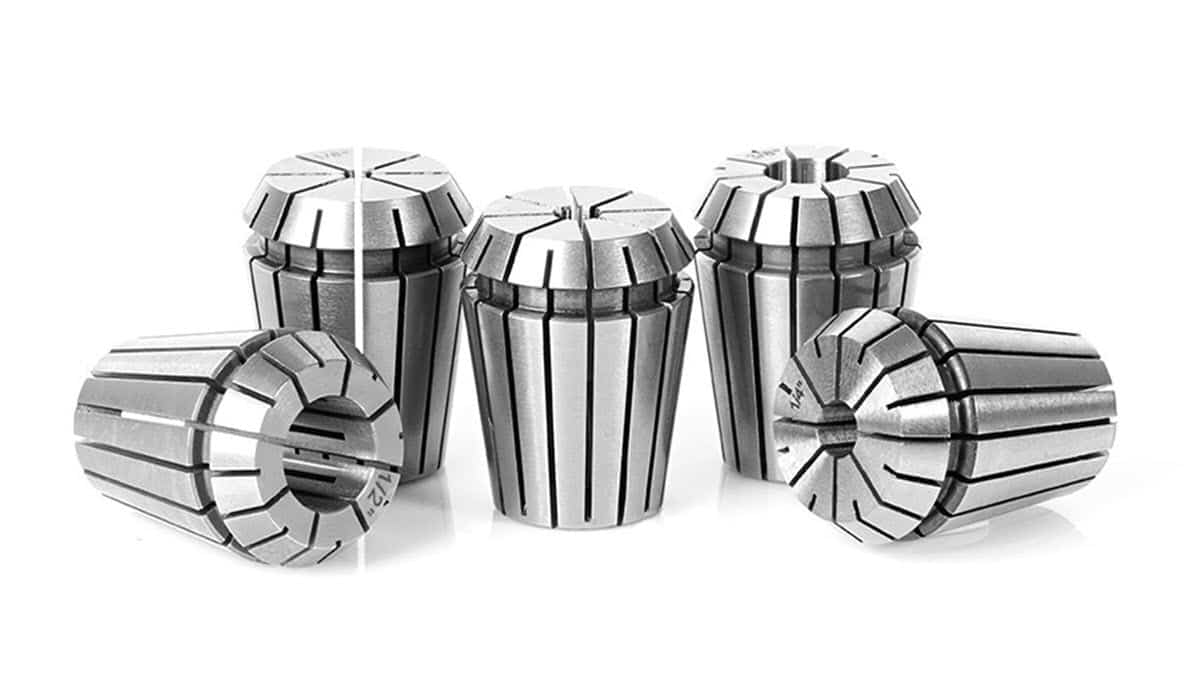
Check the router manual before applying more force. Some routers have a self-releasing collet: as the nut loosens, it may encounter a second point of resistance before the collet releases the bit. An ER collet also depends on its collet being correctly seated in the nut so the nut can extract it as it loosens. These details vary by assembly.
If you have followed the specified release procedure and the bit remains stuck, inspect for accessible resin or debris and follow the manufacturer’s cleaning or service instructions. Do not pry against the precision surfaces, grip the cutting edges with pliers, apply heat, or strike the spindle. A damaged collet, nut, or bit may need replacement or professional removal.
A Short Collet-Care Routine
During bit changes, wipe dust and resin from the shank and look for signs of damage. Periodically remove and inspect the collet and nut as your router or spindle manual directs. Keep the inside gripping surface of the collet and the bit shank free of lubricant: those surfaces need to hold the bit securely.
Use cleaning and corrosion-protection products only where their instructions and your equipment manufacturer permit them. In particular, the treatment recommended for a CNC spindle’s exterior collet taper may differ from what belongs inside the collet bore.
Replace a collet when it is damaged or no longer grips a correctly sized, clean bit reliably. Choose by the exact router model or CNC collet system, shank diameter, and compatible nut—not by appearance alone. ToolsToday carries precision CNC collets and related holders for compatible machines.
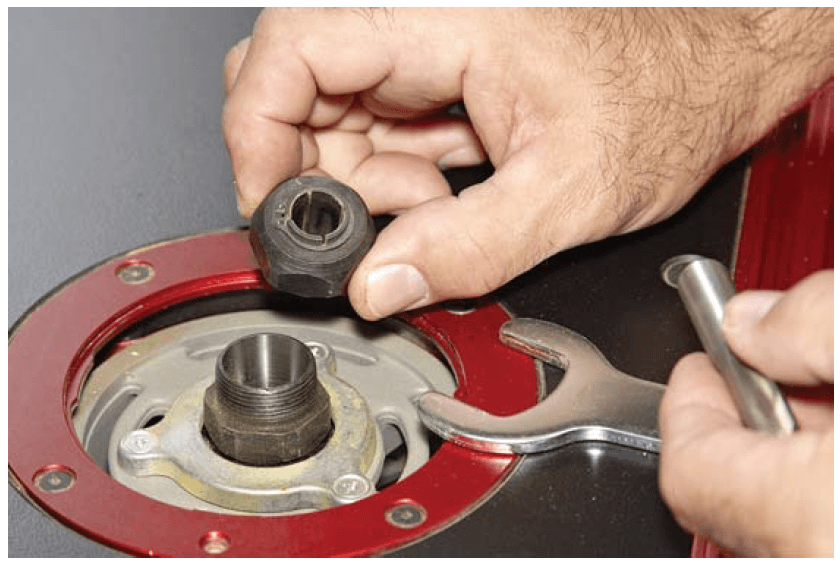 The router collet holds the bit securely, but over time it can wear out or accumulate debris. Clean and inspect it often to maintain a solid grip on the bit and avoid slippage during operation.
When to Stop Troubleshooting
If a bit has slipped, a replacement collet still will not hold it, the router vibrates abnormally with a known-good bit, or you find damage to the spindle or its seating surfaces, stop using the machine. A secure bit begins with the right fit and a clean, sound collet—but repeated slipping or wobble calls for a closer look at the whole assembly.
FAQs
Why does my router bit slip in the collet?
Common causes include a mismatched shank and collet, dust or resin on the gripping surfaces, incorrect insertion depth, or a damaged collet. Disconnect power before checking the bit.
How far should a router bit go into the collet?
Follow the bit and router manufacturers’ instructions, including any insertion mark on the shank. The collet should grip plenty of smooth shank, but the bit should not bottom out in the spindle bore.
Can a dirty collet make a router bit wobble?
Yes. Debris can keep the collet from seating evenly. Clean and inspect the collet, nut, and seating surfaces. If the wobble remains, check the bit and router or spindle.
Why won’t my router bit come out?
Some collets have a second release stage as the nut loosens. Check your router’s manual before applying more force. If the specified release procedure does not work, the collet or bit may need cleaning or service.
When should I replace a router collet?
Replace it if it is visibly damaged or no longer grips a correctly sized, clean bit reliably. Choose a replacement specified for your router model or CNC collet system.